

Samsung has officially kicked off its next major software testing phase, rolling out the first One UI 9 Beta update to Galaxy S25 series users in India and South Korea.
The registration banner has also started appearing for users in the US and UK via the official Samsung Members app, signaling a rapid global rollout for the beta program.
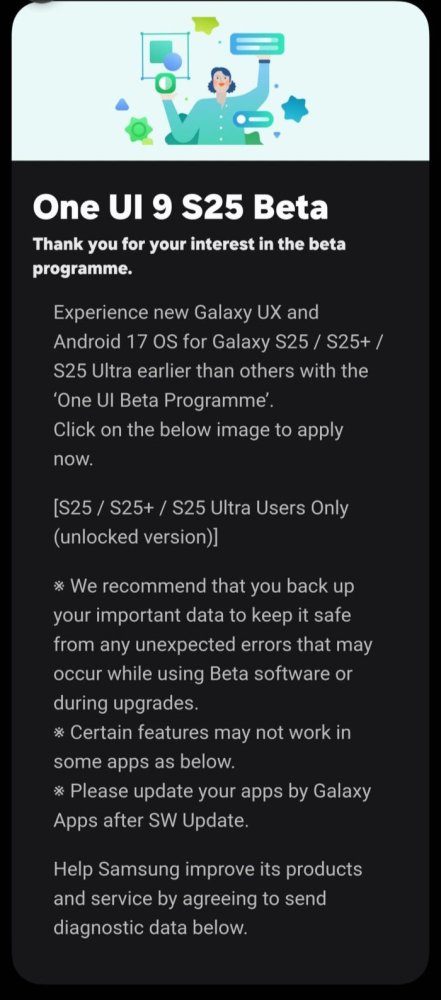
What Is Inside the One UI 9 Beta Update?
Built on top of Android 17, the One UI 9 update comes as a substantial 3.8 GB download over the air (OTA). In the US, unlocked models carry the build number S938U1UEUCZZHL, with similar regional identifiers rolling out in other markets.
The update also packages the latest August 2026 security patch alongside a variety of system upgrades:
Fluid Performance: Refined animations, faster app launch times, and improved system resource management.
Granular Personalization: Expanded dynamic lock screen controls, fresh widget layouts, and updated system themes.
Enhanced Privacy Controls: Upgraded permission dashboards and stronger on-device security protocols.
What’s Next for the Galaxy Lineup?
While Galaxy S25 Ultra, S25+, and base S25 owners get early access to test new features, Samsung is simultaneously preparing stable updates for the previous Galaxy S24 series as well as future releases in the Galaxy S26 lineup.
If you enjoy tracking mobile operating system trends, device news, and market updates across different platforms, explore more tech coverage over at Nokiapoweruser.
How to Enroll in the One UI 9 Beta
If you own an eligible Galaxy S25 device in a supported region and want to try out Android 17 early, follow these quick steps:
Open the Samsung Members app on your Galaxy device.
Tap the One UI Beta Program notice banner on the home screen.
Select Enroll and accept the terms of participation.
Go to Settings > Software update > Download and install to start the download.
Before You Upgrade: Beta software often contains bugs, battery drainage issues, or temporary app glitches. Always complete a full data backup to Samsung Cloud or Smart Switch prior to installation


