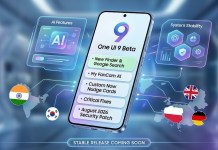
Google’s Pixel 10 series isn’t just another smartphone upgrade — it’s a major leap in on-device AI.
From smarter cameras to real-time assistance that works without internet, Pixel 10 pushes Android deeper into the AI era.
In this detailed breakdown, we explain every major AI feature in the Pixel 10 series, what’s new, what’s improved, and whether these features actually matter in daily use.
What’s New in the Pixel 10 Series?
The Pixel 10 lineup is powered by Google’s next-generation Tensor chipset, designed specifically for AI-first computing.
Unlike traditional smartphones that rely heavily on cloud processing, Pixel 10 focuses on:
Faster on-device AI
Better privacy
Real-time intelligence without lag
This makes Pixel 10 feel noticeably smarter — not just faster.
1️⃣ Gemini Nano 2.0: AI That Lives on Your Phone
Pixel 10 ships with Gemini Nano 2.0, Google’s most advanced on-device AI model yet.
What It Does:
Summarizes notifications instantly
Suggests smart replies across apps
Understands context across multiple apps
Works offline for many tasks
Why It Matters:
No waiting. No sending data to the cloud.
AI responses feel instant and private.
👉 This is one of the biggest reasons Pixel 10 feels different from older Pixels.
2️⃣ Pixel AI Assistant: Beyond Google Assistant
The traditional Google Assistant is evolving into a full Pixel AI Assistant.
New Capabilities:
Understands multi-step commands
Remembers context during conversations
Performs actions across apps automatically
Suggests actions before you even ask
Example:
📌 “Book a cab, message my ETA, and remind me to leave in 10 minutes.”
Pixel 10 can do this in one go.
3️⃣ AI-Powered Camera Upgrades (Major Leap)
Pixel cameras were already great — Pixel 10 makes them intelligent.
New AI Camera Features:
Video Boost Pro: Studio-level video enhancement
Real-Time Relighting: Fix lighting before you press record
Audio Focus AI: Removes background noise live
Magic Editor 2.0: Edit photos with natural language prompts
Say things like:
“Remove people in the background”
“Change the sky to sunset”
And it just works.
4️⃣ Live Call Intelligence & Scam Protection
Pixel 10 brings smarter call handling powered by AI.
Features Include:
Real-time scam detection
AI-generated call summaries
Smart call screening with tone analysis
Automatic spam warning alerts
This feature is especially useful in regions with high scam call volume.
5️⃣ AI Notification Intelligence (Less Noise, More Signal)
Pixel 10 introduces priority-based notifications.
How It Works:
Groups low-importance alerts
Highlights urgent messages
Summarizes long notification threads
Instead of 20 alerts, you see one smart summary.
Result?
📉 Less distraction
📈 Better focus
6️⃣ On-Device AI = Better Privacy
Google emphasizes that Pixel 10 AI runs locally on the device.
What This Means:
Less data sent to Google servers
Faster processing
Works without internet
More control for users
This approach gives Pixel an edge over cloud-heavy AI phones.
7️⃣ AI Battery & Performance Optimization
Pixel 10 uses AI to:
Predict app usage
Restrict background drain
Optimize performance in real time
The phone learns your habits and adjusts automatically — no manual tuning needed.
Pixel 10 AI vs iPhone & Samsung: Quick Comparison
| Feature | Pixel 10 | iPhone | Samsung |
|---|---|---|---|
| On-device AI | ✅ Strong | ❌ Limited | ⚠️ Partial |
| AI Camera Editing | ✅ Advanced | ⚠️ Basic | ⚠️ Mixed |
| Offline AI Features | ✅ Yes | ❌ No | ❌ No |
| Privacy-first AI | ✅ Yes | ⚠️ Partial | ⚠️ Partial |
Pixel 10 clearly leads in on-device intelligence.
Should You Buy Pixel 10 for AI Features?
Pixel 10 is ideal if you:
Want AI that actually helps daily life
Care about privacy
Use camera, calls, and productivity heavily
Prefer clean Android with smart automation
If AI matters to you, Pixel 10 is one of the smartest phones ever made.
Final Verdict: Is Pixel 10 the Most AI-Powered Android Phone?
Yes — and not just on paper.
Pixel 10’s AI feels useful, fast, and practical, not gimmicky.
Google is clearly betting on AI-first smartphones, and Pixel 10 shows what that future looks like.