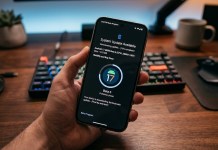
If you’ve been eagerly checking your Galaxy device for that coveted update notification, you are not alone. Samsung has officially postponed the global release of its stable One UI 9 update, pushing back the expected rollout date by a full week.
While South Korea got an early taste of the finished software on September 16 across the Galaxy S26 lineup, the rest of the world will need to hang tight just a little longer.
Here is everything you need to know about the new release timeline, which devices are next in line, and why Samsung likely decided to hit the pause button.
The New One UI 9 Release Schedule
According to updated official statements, Samsung has revised its deployment schedule. The stable One UI 9 update is now slated to start rolling out globally on September 28.
The initial wave will focus on Samsung’s primary flagship lineups:
Galaxy S26 Series (Galaxy S26, S26+, S26 Ultra)
Galaxy S25 Series (Galaxy S25, S25+, S25 Ultra, S25 FE)
Galaxy Z7 Series (Galaxy Z Fold 7, Galaxy Z Flip 7)
For a complete breakdown of device support across regions, check out the full Samsung One UI 9.0 rollout timeline and schedule for Galaxy S26 and S25 to see when your specific model is expected to receive the OTA notification.
If you own a recent flagship, your update window opens on September 28, with regional carrier rollouts following in staged batches over the subsequent days.
What Caused the One UI 9 Delay?


Initially, regional press releases across several major markets promised a global launch on September 21. When that date passed without a rollout, Samsung updated its official newsroom releases to reflect the new September 28 launch target.
Given that One UI 9 underwent an extensive beta testing program lasting more than four months, a last-minute schedule shift naturally raises questions. Why add an extra week after months of public testing?
Here are the primary reasons driving the short delay:
1. Initial Telemetry from the South Korean Launch
South Korean users served as the initial rollout group starting September 16. Deploying software in a single domestic market provides real-world performance telemetry that simulated beta testing cannot duplicate. If post-launch data revealed minor battery drain, connectivity hitches, or app compatibility bugs under normal daily usage, holding back the worldwide deployment allows engineers to patch those issues directly before a wider distribution.
2. Carrier Certification and Regional Staging
A global software deployment involves hundreds of cellular operators across North America, Europe, Asia, and Latin America. Even after Samsung finalizes a stable firmware build, individual carriers must run their own network optimization and emergency services tests. Aligning carrier approvals globally often creates unexpected scheduling bottlenecks.
3. Avoiding the “Recall Patch” Scenario
Rolling back or hotfixing an update across tens of millions of active devices is a logistical nightmare. Taking an additional seven days to refine the software build ensures that when users install One UI 9, they get a smooth, reliable experience out of the box without needing immediate emergency bug fixes.
What Features to Expect with One UI 9
Despite the brief one-week delay, the upgrade promises substantial refinements to the user experience. Built on Android 17, the software suite introduces visual updates, enhanced multitasking controls, and deeper system-wide AI optimizations.
Before the update hits your device, you can explore the complete list of upcoming changes, UI enhancements, and hardware compatibility in our detailed guide on Samsung One UI 9 Android 17 features and eligible devices.
What to Do While You Wait
If you own an eligible S26, S25, or Z7 series phone, you don’t need to sign up for anything extra. Once September 28 arrives, you can manually check for the download by following these steps:
Open your phone’s Settings.
Scroll down and tap Software update.
Tap Download and install.
Ensure your device is connected to Wi-Fi and has at least 50% battery charge before beginning the update once it becomes available in your region.