ColorOS 17 marks a major leap forward for OPPO’s software ecosystem, focusing heavily on native artificial intelligence, visual fidelity, fluid interface motion, and seamless everyday utility. Rather than cluttering the interface with novelty features, this update embeds practical AI directly into photo editing, workspace organization, and accessibility while refining UI polish.
Here is a closer breakdown of what ColorOS 17 brings to the table.

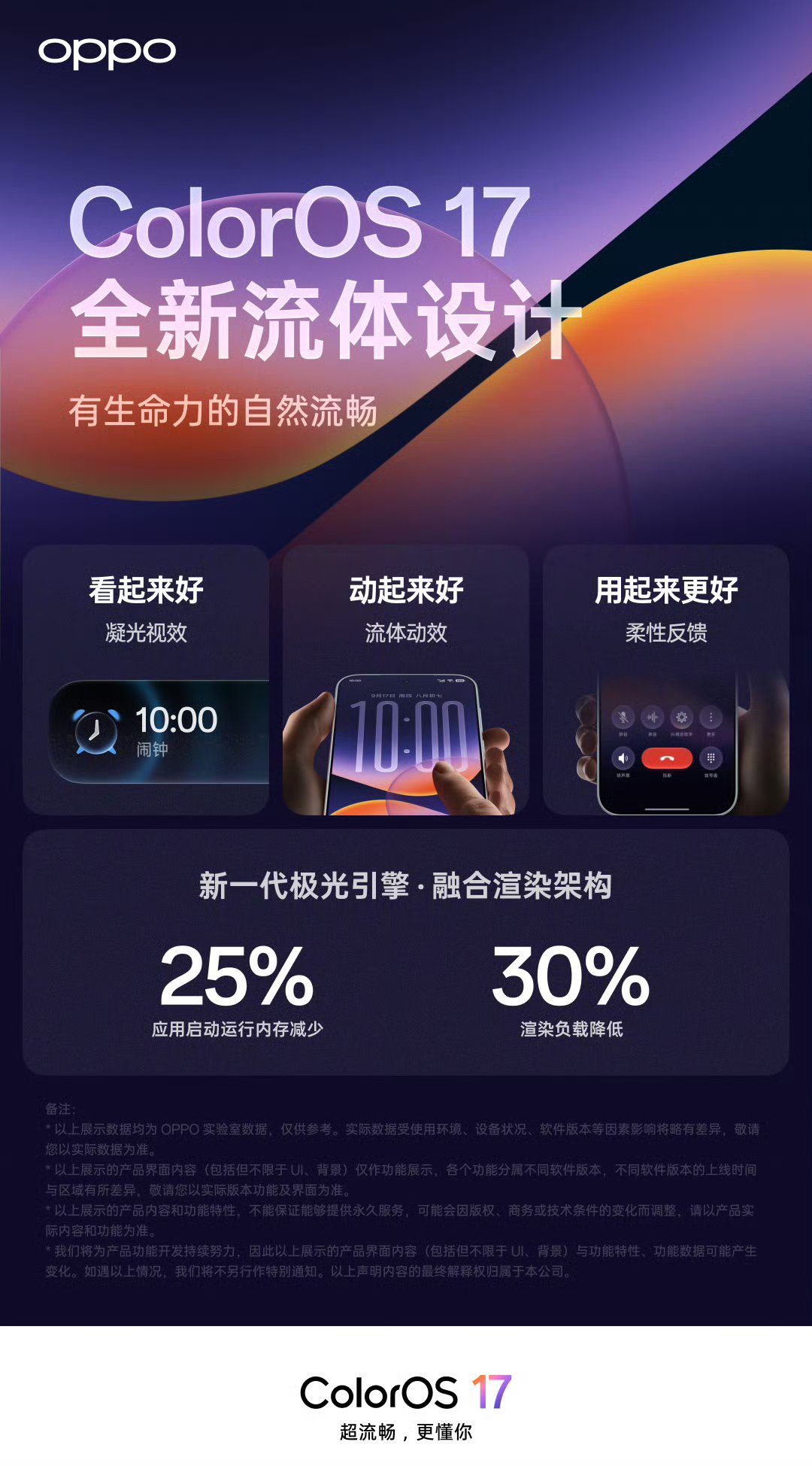
Image Creation: AI Retoucher and ProXDR
The built-in gallery and camera suite receive a significant upgrade powered by the Da Vinci Large Model of Visual Understanding. This engine coordinates six specialized sub-models—covering Light and Shadow, Image Quality, Composition, Color, Portrait, and Element recognition—to keep photo edits looking natural rather than over-processed.
AI Retoucher: Provides one-stop photo editing to quickly erase background distractions, remove unwanted objects, wipe away screen glare or ghosting, and recalibrate global color tones effortlessly.
Native 2K ProXDR: Enhances dynamic range across supported displays, restoring true-to-life highlight retention and shadow depth directly in the gallery viewer.
Reference Picture Reproduction: Lets you match the exact grading, contrast, and style of a reference image and apply it instantly to your own shot.
Visual Experience: Fluid Motion and Seamless Transitions
Beyond under-the-hood intelligence, OPPO has refined the visual touchpoints across the operating system. System interactions feel more organic thanks to updated visual feedback, including seamless ColorOS 17 quick settings fluid clock transition animations that make expanding panels and checking times feel effortless.
Additionally, screen orientation changes and lock screen interactions are noticeably smoother, highlighted by redesigned ColorOS 17 quick settings landscape lockscreen transition animations that maintain visual continuity no matter how you hold your device.
Office & Productivity: AI Notes and Proactive Hardware
For work and study setups, ColorOS 17 shifts from simple utilities to an integrated knowledge engine designed to reduce everyday digital friction.
Brand New AI Notes: Replaces traditional note-taking with a unified personal knowledge hub. It automatically formats, summarizes, and categorizes quick thoughts, voice memos, and captured text.
OPPO AI Heart Ball: A system-level, hardware-aware AI assistant that works in the background to anticipate context, surface relevant files, and provide proactive quick actions throughout the day.
Care & Accessibility: Inclusion and Security
Accessibility and user protection see major structural updates aimed at supporting diverse user needs and elderly family members.
Accessible Smart Screen Reading: Broadcasts any visual element on screen aloud with increased contextual accuracy, providing a seamless visual-to-audio experience for visually impaired users.
All-Scenario AI Fraud Prevention: Uses personalized behavior modeling to detect suspicious calls, messages, and unauthorized app behaviors in real time.
Caring Model: Offers a simplified setup mode for seniors, featuring larger touch targets, high-contrast text, and single-click activation to reduce configuration hassle.