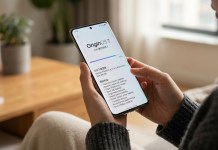
Google is continuing to push the envelope with early software experimentation. The latest Android Canary build 2610 has rolled out, offering Android enthusiasts and developers an intriguing look into where Pixel design language and notification systems are headed next.
While Canary builds are inherently experimental playground environments meant for preliminary code testing, build 2610 stands out. It reworks essential customization menus and resolves a notable omission in the Pixel 11 series’ marquee rear-lighting feature: Pixel HiLight.
Following right on the heels of previous rapid-fire iterations like Android Canary 2609 which focused on Quick Settings and lock screen security updates, Google is accelerating its experimental pipeline. Here is a breakdown of everything discovered in Android Canary 2610, from visual wallpaper controls to notification light integration.
1. A Redesigned “Wallpaper & Style” Engine
Personalization has long been a core identity of Pixel software. In Android Canary 2610, Google is refining the visual setup process by restructuring the Wallpaper & style customization suite.
The previous blanket “Live Effects” toggle has been broken down into granular options. Instead of relying on a single generalized setting for dynamic backgrounds, Google is giving users precise creative control with three distinct visual effect categories:
Shape Effects: Apply geometric or stylized spatial overlays to home and lock screen wallpapers.
Animate: Introduces motion dynamics, turning static pictures into fluid, reactive background canvases.
Weather Effects: Dynamically overlays real-time atmospheric conditions—such as subtle rain, fog, or sun glares—directly onto personal photo wallpapers.
Additionally, a new Featured button at the top of the interface instantly invokes an interactive preset preview carousel. This allows users to browse through curated atmospheric aesthetics without needing to manually build each style layer from scratch.
2. Pixel HiLight Gains Essential WhatsApp Integration
The hardware highlight of the Pixel 11 Pro series is HiLight—a rear-facing multi-color LED notification module built directly into the phone’s back glass. While hardware reviewers and early adopters praised the aesthetic appeal of glanceable ambient lighting, launch software felt restrictive.
Earlier builds (including Android 17 QPR2 Beta 6.1) introduced system-level HiLight alerts for native SMS and message apps. However, WhatsApp—the world’s most widely used instant messaging platform—was missing from the officially supported app roster.
Android Canary 2610 HiLight Integration Trace:
├── Google Messages (Native LED Support)
└── WhatsApp (New Strings Discovered in Canary Build 2610)
Under-the-hood code teardowns of Android Canary 2610 confirm that Google is closing this gap. Newly discovered string references specifically pair WhatsApp message alerts with HiLight notification drivers. Once fully enabled, Pixel 11 Pro owners will be able to set custom color signatures and pulsing lighting patterns for incoming WhatsApp messages and contact alerts directly through native system settings.
Technical Overview: Canary Build 2610 vs. Previous Builds
| Feature Focus | Previous Android Builds | Android Canary Build 2610 |
| Wallpaper FX | Single “Live Effects” toggle | Split into Shape, Animate, & Weather Effects |
| Preset Carousel | Embedded nested menu | Dedicated “Featured” instant-access button |
| Pixel HiLight Support | Native SMS / Google Messages | Google Messages + Incoming WhatsApp Support |
| Channel Status | Beta / Stable release tracks | Early Experimental Canary Track |
What Canary 2610 Means for the Future of Pixel
Canary updates exist outside the standard public beta release cycle. They represent work-in-progress code branches where software engineers continuously test early feature concepts.
While code found in Canary builds can occasionally be shifted or revised before reaching a public QPR or major Android update, the additions in build 2610 reveal clear priorities:
Richer Visual Expressiveness: Moving away from static lock screens toward interactive, weather-aware, animated interfaces.
Expanding Hardware Utility: Unlocking the true potential of ambient back-of-device notifications like HiLight across primary third-party communication apps.
Pixel users holding out for broader third-party HiLight illumination support won’t have to wait much longer as these underlying code frameworks mature.
For ongoing updates on upcoming Android releases, stay tuned to the NokiaPowerUser Android news portal