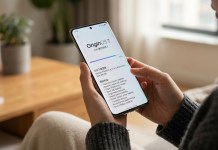
Android power users have long advocated for stricter control over what can be modified from a locked phone screen. In response to these persistent security requests, Android Canary 2609 introduces a crucial preview feature: a native global lock for critical Quick Settings tiles.
While third-party launcher tweaks or custom manufacturer skins have occasionally provided similar safeguards, stock Android has historically left core connection controls exposed even when the device itself remains locked. This experimental Canary update closes that long-standing privacy gap.
🐤 Android Canary 2609 is here with a preview of a highly requested security feature: A global lock for Quick Settings!
(As usual, Canary is highly experimental & not recommended for daily use!)
With this new setting, you can require your device to be unlocked to toggle certain… pic.twitter.com/5vTrZvFyej
— Mishaal Rahman (@MishaalRahman) September 16, 2026
Why Quick Settings Lock Screen Security Matters
In typical daily usage, lost or stolen devices are most vulnerable in the immediate minutes after leaving your possession. Standard lock screens stop unauthorized access to app data and personal files, but exposed status shade toggles often give opportunistic bad actors an easy loophole.
Preventing Tracking Interference: Standard thief behavior involves immediately pulling down the Quick Settings shade to enable Airplane Mode or kill Mobile Data and Wi-Fi, rendering tracking networks like Google’s Find My Device useless.
Securing Nearby Connections: Restricting Bluetooth access ensures malicous actors cannot pair rogue accessories or disrupt nearby communication protocols without authorization.
Preserving Low-Risk Utility: Everyday non-sensitive tools—such as the Flashlight, Do Not Disturb, or Auto-rotate controls—remain accessible so convenience isn’t completely sacrificed.
Supported Network Toggles Under Protection
When the global lock configuration is enabled, the system enforces strict authentication for high-impact connectivity settings. Tapping any of the following tiles on a locked screen requires immediate biometric, PIN, or pattern verification:
Wi-Fi: Blocks disconnecting from trusted access points or joining untrusted networks.
Mobile Data: Stops unauthorized disabling of cellular data connections.
Bluetooth: Prevents toggling radios off or initiating unintended pairing sequences.
Airplane Mode: Halts one-tap isolation of all wireless signals on the device.
Step-by-Step: Enabling Quick Settings Lock in Canary 2609
Important Reminder: Canary releases represent highly experimental, early-stage code. They contain unresolved bugs and are not recommended for daily use on primary smartphones.
If you are running Android Canary 2609 on an isolated secondary testing handset, you can enable and test the new security controls directly through system settings:
Launch the Settings app on your device.
Navigate to Security & privacy > Device unlock (or alternatively, Display & touch > Lock screen).
Locate the new toggle labeled Require unlock for Quick Settings and switch it on.
Once activated, pulling down the status bar on a locked screen still lets you view status icons, but tapping any protected network tile triggers an instant prompt asking to verify your identity before applying the setting change.
For ongoing updates on upcoming Android releases, stay tuned to the NokiaPowerUser Android news portal.