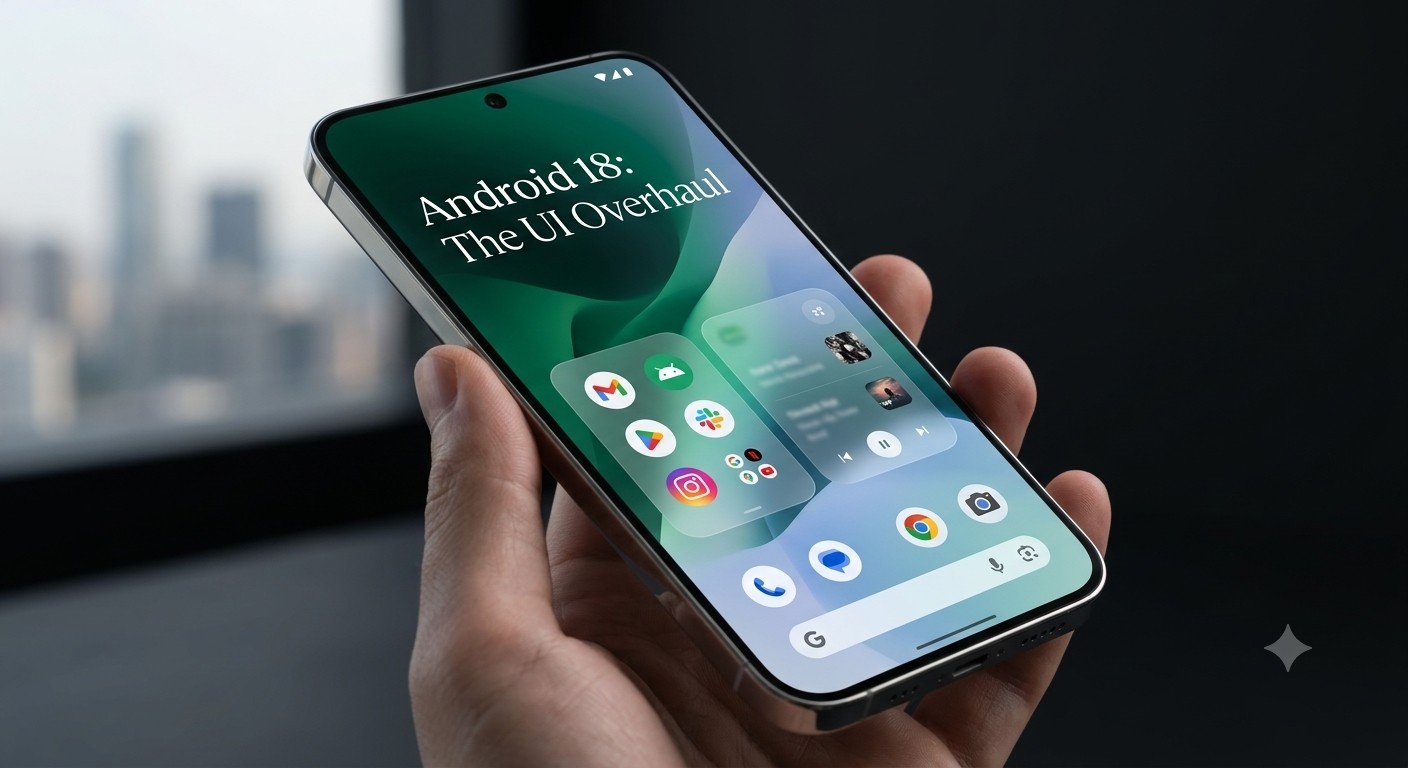
The tech world is eagerly counting down to the return of Google’s flagship developer event, as highlighted in recent reports on Google officially teasing the Android Dev Summit. While backend updates are on the agenda, all eyes are on Android 18 and its upcoming visual transformation.
It’s happening. #AndroidDevSummit is officially back. https://t.co/AcQSW3KHZp
— Android Developers (@AndroidDev) October 7, 2026
Google is setting out to redefine how mobile interfaces look, feel, and interact. Here is a breakdown of the key UI upgrades expected to take center stage at the summit.
1. Modern Graphics: Mesh Gradients & Progressive Blurs
Flat cards and basic dynamic colors are giving way to deeper graphical depth. Android 18 introduces native rendering pipeline enhancements designed for high-end visual fidelity:
Multi-Point Mesh Gradients: Developers gain access to native APIs that generate vibrant, multi-layered color fields. These gradients shift organically in response to live content, wallpapers, and touch events.
Real-Time Progressive Blurs: Moving beyond basic static overlays, Android 18 brings hardware-accelerated progressive blurs. Notification shades, quick settings tiles, and app containers naturally blur background elements while keeping frame rates locked at 120Hz.
2. Evolved Material You & Translucent Layering
Material You is stepping into a more tactile, three-dimensional era with refined UI depth:
Tactile Glassmorphism: System menus and floating UI cards now feature semi-translucent frosted glass effects. These layers capture simulated light and cast soft, dynamic ambient shadows.
Fluid Component Scaling: UI containers and typography now leverage spring physics, allowing apps to adapt smoothly across phones, foldables, and desktop dock setups.
3. Strict App Efficiency & Performance Benchmarks
Stunning visual effects require strong underlying performance to run smoothly. Alongside UI leaps, Google is enforcing stricter operating standards across the ecosystem.
As detailed in our coverage on Android 18 Play Store app efficiency rules, upcoming policies will actively target resource-heavy background processes. By minimizing system bloat and throttling rogue tasks, Android 18 keeps the main UI thread prioritized for lag-free animations.
4. Hardware Synergy: Paving the Way for Pixel 12
Software and hardware go hand-in-hand. The high-framerate rendering optimizations and dynamic blurs in Android 18 are built specifically to complement next-generation flagship displays.
As explored in depth in our breakdown of Pixel 12 model numbers, sharp display upgrades, and Android 18 integration, these OS-level visual enhancements are engineered to take full advantage of upcoming silicon efficiency and advanced display hardware.
Final Thoughts
The upcoming Android Dev Summit will offer our first real look at these new UI APIs and rendering toolsets in action. With fluid glassmorphism, adaptive mesh gradients, and tight performance rules, Android 18 promises a far more refined and responsive user experience.