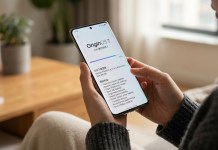
If you use Samsung’s Good Lock to tweak your Galaxy phone, you’ll want to check your updates. Samsung has started rolling out a fresh update for the Home Up module, bringing it to version 18.0.00.30. It’s currently popping up for users in India and a few other regions, with a broader rollout underway.
This isn’t a massive update packed with flashy new features, but it handles a lot of the behind-the-scenes polish. If you’ve been dealing with annoying layout bugs—especially when backing up or moving your setup to a new phone—this patch is for you. For more deep dives into One UI updates and Galaxy customization, head over to NokiaPowerUser.
What’s Fixed in This Update?
Samsung actually addressed a few specific headaches in this release. Here is what’s changing according to the changelog:
No More Broken Smart Switch Backups: Fixed a frustrating bug where custom DIY Home Screen layouts would get completely scrambled after restoring data through Smart Switch.
Smoother DIY Customization: Rearranging items in DIY mode feels much smoother and less finicky now.
Shortcut Display Glitches: Resolved an issue where app shortcuts looked distorted or misaligned in the integrated panel.
Better Favorites Bar Control: Fine-tuned the background adjustment settings for the bottom app dock.
General Polish: Standard stability tweaks and bug fixes based on recent feedback.
Why It Matters
Home Up is easily one of the best reasons to use Good Lock. Whether you like tweaking your app grid, customizing folder pop-ups, or changing your task changer layout, it gives you control that default One UI just doesn’t offer. While minor, updates like this keep your custom setups from breaking when you upgrade devices or migrate your data.
How to Get It
Good Lock App: Open Good Lock on your phone, find Home Up, and hit update. If it’s not showing up yet, give it a day or two—these rollouts usually happen in stages.
Direct APK: If you don’t want to wait for the regional rollout, you can grab the Home Up v18.0.00.30 APK here.