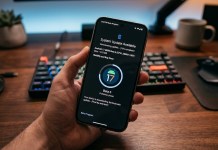
The April 2026 security update for Google Pixel was meant to be a critical “clean-up” for Android 16, fixing banking app crashes and system instabilities. You can read more about the April 2026 update for Pixel smartphones by clicking here.
However, for a significant number of Pixel 6 through Pixel 10 owners, the patch has introduced frustrating new bugs. If you’re noticing your phone running hotter or your battery dying by midday, you’re not alone. Here’s a breakdown of the current situation and how to fix the most common issues.
The April 2026 Pixel Update: Top Reported Issues
While Google’s official changelog highlights stability fixes for banking apps and Quick Share, community feedback across Reddit and Google Support tells a different story.
1. Severe Battery Drain & Overheating
The most widespread complaint involves “idle drain.” Users report losing up to 20%–30% battery per hour even while the phone is sitting on a desk.
The Cause: Tech-savvy users have identified a Google Play Services bug that forces the
system_serverto use 100% of the CPU, preventing the phone from entering “Deep Doze” mode.Affected Models: Primarily the Pixel 6, 7, and 10 Pro XL.
2. Android Auto & Bluetooth Regressions
Android Auto users are facing frequent disconnections and “black screen” errors.
The Bluetooth Bug: A new UI glitch misidentifies car Bluetooth adapters as “headphones.” This triggers mandatory volume-limiting safety warnings that cannot be turned off, effectively “muting” car audio systems.
3. UI Glitches & System Lag
Owners of the new Pixel 10 series have noted:
Notification shade stutter: Laggy animations when swiping down.
Ghost Call Bug: The UI shows a call is active long after hanging up, requiring a restart to clear the system.
Community “Megathreads” & Discussion Links
To see real-time updates from other users or to report your own bugs, check these active community hubs:
🛡️ “My Pixel 9 battery output dropped to half after April update” — Google Pixel Community
- 🗨️ “Pixel 6 series April 2026 update has honestly made things worse for me” — r/GooglePixel
🗨️ Reddit: Google Pixel April 2026 Update Megathread – The primary hub for bug reports and battery drain discussions.
🗨️ Reddit: Pixel 10 Series Performance & Battery Life Post-Update – Specific feedback on the newest flagship hardware.
🛡️ Google Issue Tracker: Deep Doze & CPU Spike Bug – Official community thread for tracking the system_server issue.
How to Fix the April Update Bugs
If your Pixel is struggling, try these community-vetted solutions before attempting a factory reset:
Step 1: Manually Update Google Play Services
Since many thermal issues are tied to Play Services, a manual check can often bypass the “staged” rollout:
Go to Settings > Security & Privacy > System & Updates.
Tap Google Play system update. If an update is available, install it and restart.
Step 2: The “Super Hard Reboot”
Unlike a standard restart, this clears the hardware cache and resets the DNS:
Hold the Power + Volume Up buttons for a full 45 seconds. The phone will vibrate and reboot; keep holding until you see the Google logo a second time.
Step 3: Reset Network Settings (For Android Auto Fix)
If your car connectivity is failing:
Go to Settings > System > Reset options.
Select Reset Bluetooth & Wi-Fi.
Note: You will need to re-pair your car and re-enter Wi-Fi passwords.
The Verdict: To Update or Not?
If you haven’t installed the April 2026 update yet:
Install it if: You are currently experiencing banking app crashes or security concerns.
Wait if: You rely on Android Auto for your daily commute or have an older Pixel 6/7 with already-fragile battery health.
Google typically releases server-side “hotfixes” for Play Services bugs within 7–10 days of a major patch release.
Are you experiencing these bugs? Join the conversation in the Reddit threads above to help Google prioritize a fix.
Interested in reading more about latest news, leaks and reviews of Google Pixel smartphones. Read our full Google Pixel coverage by clicking here.
Please follow us on our Facebook page and X account for all latest and breaking Google, Android and Nokia related news.