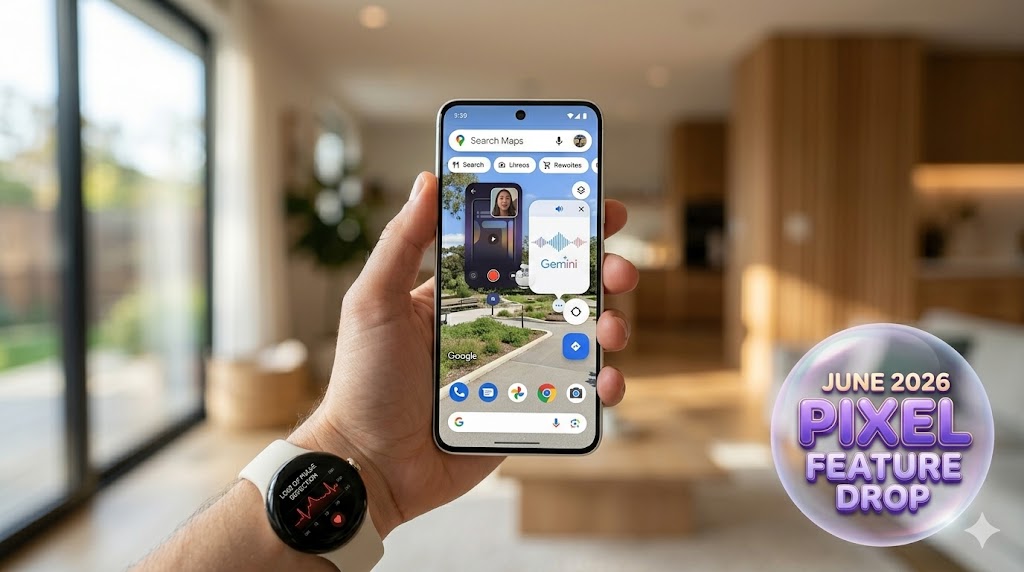
Google has officially released its highly anticipated June 2026 Pixel Feature Drop. This massive software update rolls out alongside major system overhauls like Android 17 and Wear OS 7. Moving heavily into multimodal AI, advanced creator suites, and deep health-safety integrations, this drop shifts incredible value down to the devices in your pocket.
Whether you are unboxing a top-tier Pixel 10 Pro or rockin’ a reliable classic like the Pixel 6, Google is introducing a wave of upgrades over the coming weeks. Let’s break down the most exciting changes and how to use them.
1. Native Reaction Videos & Gemini Video Editing
Creating social content or software tutorials just got significantly easier on mobile.
Screen Reactions: Forget downloading clunky third-party apps just to stitch a video of your face over your screen capture. The new Screen Reactions tool acts as a built-in green screen. It lets you embed your front-facing selfie camera seamlessly into any screen recording. You can tap, drag, and resize your video bubble in real-time while you record.
Gemini Omni Video Editing: Powered by the cutting-edge Gemini Omni model, you can now build and manipulate high-quality videos just by chatting with your assistant. You can mix text prompts, local phone media, and pre-built templates to produce incredible videos. You can even use a personalized AI avatar that mimics your likeness and voice to insert yourself directly into the generated footage.
AI Soundtracks via Gemini: Looking for copyright-safe background music? Open the Gemini app, pull up the tools menu, and tap “Create music.” Just describe what you want (“an upbeat indie rock track with acoustic drums”) or upload an image to generate a high-quality audio file with custom vocals.
Learn more about how these features streamline your content creation process by checking out the deep-dive on the Google Pixel Drop AI Music, Gemini Video, and Screen Reactions features.
2. Desktop-Level Multitasking with Android 17 “Bubbles”
Alongside the drop, the launch of Android 17 introduces a revamped multitasking layout called Bubbles, changing how we navigate between active apps.
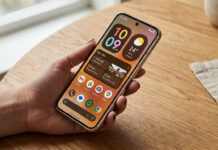
Instead of constantly swiping back and forth to look at notes or chats, you can now long-press any app icon to transform it into a compact, floating window. It stays right on top of whatever you are working on.
If you own a Pixel 10 Pro Fold, this experience is even slicker: your open app bubbles dock smoothly into a dedicated Bubble Bar at the bottom of the display. This lets you flip back and forth across multiple tools instantly while traveling or working on the fly. Explore the complete layout changes and additions in this comprehensive Android 17 feature and upgrade guide.
3. Communication Upgrades & Global Rollouts
Google is taking some of its most powerful translation and calling safety features and expanding them to budget-friendly hardware and new international regions.
Voice Translate on Pixel 10a: The budget-tier Pixel 10a is picking up speech-to-speech Voice Translate. This tool translates live phone calls in real-time, matching the actual sound and tone of the caller’s voice. It launches with full support for English, Spanish, German, French, Italian, Portuguese, and Hindi (currently in preview).
Take a Message Custom Greetings: The automated AI voicemail system adds Custom Greetings. This allows you to record a distinct message for callers while the on-device AI transcribes their live responses. It is rolling out to over 20 new European and Asian markets.
Manual Call Screen Lands in India: Pixel owners in India can now tap “Screen Call” on incoming unknown numbers. Google’s Call Assist will ask the caller who they are and why they’re calling, displaying a live transcript before you ever accept the call.
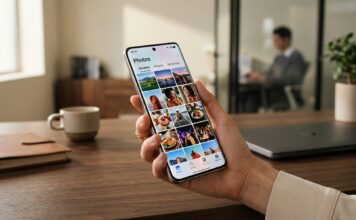
Ask Photos Expansion: The Gemini-powered editing engine inside Google Photos is rolling out to the UK, Germany, France, Spain, and Italy for the Pixel 6 and newer. You can fix images instantly by typing simple phrases like “clean up the glare and fix the lighting.”
4. Critical Health & Safety Triggers
Perhaps the most crucial under-the-hood improvement is how your device handles sudden emergencies. Google is now integrating Emergency Sharing directly across three major safety sensors: Car Crash Detection, Fall Detection, and Loss of Pulse Detection (supported natively on the Pixel Watch 2, 3, and 4 running Wear OS 7).
If your Pixel detects an accident or a health crisis, it will bypass standard delays to alert emergency services and instantly ping your selected emergency contacts with your live status and GPS location. You can customize who gets notified for each unique safety sensor inside your phone’s safety app.
Watch June Pixel drop in action:
Feature Compatibility: Does Your Pixel Qualify?
Because Feature Drops target a wide net of older and newer hardware, use this compatibility matrix to see exactly what your device gets from the June update:
| New Feature | Eligible Hardware | Core Requirement |
| Screen Reactions | Pixel 6 series and newer | Android 17 OS installed |
| Gemini Omni Video | Pixel 9 and 10 series | Active Google AI Subscription |
| Multitask Bubbles | All supported Pixel phones & folds | Core Android 17 functionality |
| Voice Translate | Pixel 10 Pro, Pro XL, Fold, and 10a | Local language pack download |
| Loss of Pulse Alerts | Pixel Watch 3 and Pixel Watch 4 | Connected via Bluetooth to phone |
How to trigger the update on your device
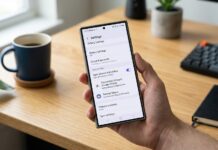
The June Pixel Drop is rolling out in structured phases starting today. To check if the update is ready for your phone, go to Settings > System > System update and tap Check for update. Make sure your primary apps—especially Gemini and Google Photos—are fully updated through the Google Play Store to cleanly unlock the new software layers!
Interested in reading more about Google Pixel smartphones. Read our full Google Pixel coverage by clicking here.
Please follow us on our Facebook page and X account for all latest and breaking Google, Android and Nokia related news