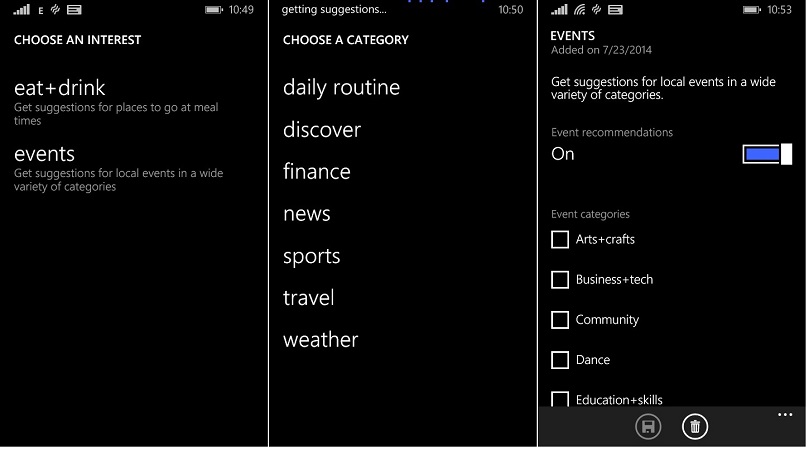
Cortana has just seen one of its two monthly scheduled updates in background. The latest update adds “Local Events” under the interests. You can go to interests, tap on ‘+’ (add)—->Discover—–>Events to add these events to Cortana’s Notebook. Once added, you can select from a wide range of “Local Events” to be notified by Cortana.
Microsoft has informed earlier that Cortana will get two or more updates in background on a monthly basis. It got the ability to predict outcomes of “Football World cup” matches with similar update.