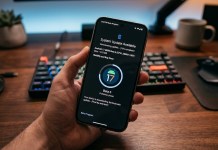
Android users are about to get a major upgrade in how they share files, photos, and videos. After early testing on Pixel devices, Google has confirmed that its Quick Share feature will soon support AirDrop-style compatibility across all Android phones.
This change promises faster, simpler sharing between Android devices — without needing internet, email, or third-party apps.
🔥 What’s New: AirDrop-Style Sharing on Android
Google has announced that Quick Share, its built-in file-sharing tool, will become much more widely compatible with Android phones, making it work similarly to Apple’s AirDrop. Instead of being limited to select Pixel models, Quick Share will soon be available on all Android devices running compatible software.
This means:
Fast, local sharing of photos, videos, links, and files
No Bluetooth or mobile data needed
Simple tap-to-send user experience
Works across brands like Samsung, Xiaomi, OnePlus, Oppo, and more (once supported)
🧠 How It Works
Like AirDrop on iPhone:
Quick Share uses Bluetooth and Wi-Fi Direct to detect nearby devices.
Once two phones are near each other, you can send files instantly with a single tap.
Recipients can choose to accept or decline incoming transfers.
This aims to make sharing easier than using messaging apps, email, or cloud uploads.
📱 Why This Matters for Android Users
✅ Faster, Easier Sharing
Unlike traditional sharing methods that depend on mobile data or internet, this works offline and finishes transfers much quicker, especially for large files.
✅ Cross-Brand Support
Historically, different Android brands had their own sharing tools, which didn’t always work across devices. With unified Quick Share support:
Samsung users can share with Pixel, Xiaomi, Realme, and others
Users no longer need brand-specific sharing apps
✅ Better Experience Competes With AirDrop
Apple’s AirDrop has long been a favorite for simple file transfers. This move helps Android catch up with a seamless native feature.
📅 When Will It Roll Out?
Google hasn’t shared an exact launch date yet, but the expanded Quick Share support is expected to begin rolling out in phases soon, after the initial tests on Google Pixel phones.
Android users should:
Check for updates to Google Play services
Keep their Android version updated
Watch for “Nearby Share” or Quick Share options in the share menu
📌 How to Use Quick Share Once It Arrives
Open a file, photo, or link
Tap the Share button
Choose Quick Share
Select the nearby device from the list
The receiving user accepts the transfer
This simple flow is designed so anyone can share without confusion.
📊 Final Verdict
This update marks a big step toward more unified Android networking features. With AirDrop-style capabilities, Quick Share could become one of the most used Android tools, making everyday sharing faster and more intuitive for millions of users.
🚀 Whether you’re on Samsung, Pixel, or another Android phone, this change promises a smoother, more connected experience across the entire Android ecosystem.