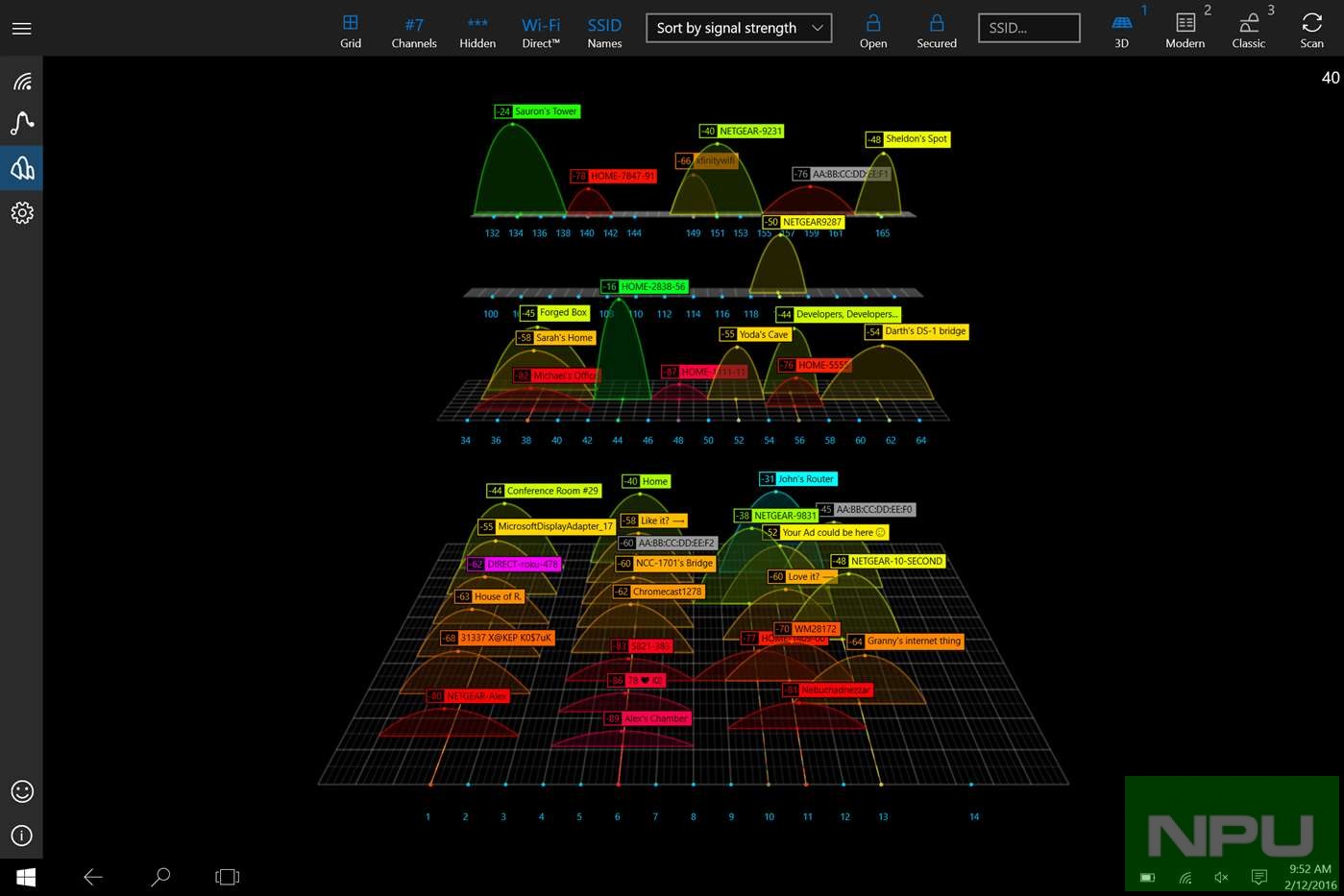
The Windows Phone app which has gone free next as myAppFree app of the day is WiFi Commander: 3D Analyze & Monitor. This is the perfect one for Windows 10. This app turns your device into a powerful WiFi-Analyzer. It features a modern Windows 10 user interface with a 3 D and 2D visulization integrated.
WiFi Commander: 3D Analyze & Monitor Features:
✔ Scan the space around you for any Wi-Fi networks
✔ Original 3D analyzer of channel distributions (touch-friendly)
✔ Original real time signal level monitoring (touch-friendly)
✔ Filter, sort and group available networks
✔ Switch between different networks instantly
✔ Detailed information about specific Wi-Fi access point:
? Vendor name ? Security and authentication ? MAC address (BSSID) …
✔ See all Wi-Fi Direct™ capable devices
✔ Find less used channel for your own router
✔ Multiple Wi-Fi adapters support
✔ Dark and light themes for your preference
✔ Small app package – just about 4-5 MB
✔ No Ads ✔ 30 days FREE trial
[appbox windowsstore 9nblggh20fr1#]