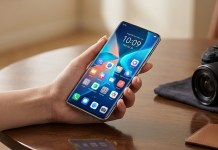
Samsung is moving fast with its Samsung One UI 9 rollout preparation. For power users, the biggest anxiety during a major Android operating system transition is usually whether Good Lock—Samsung’s deep UI customization suite—will break.
Fortunately, Samsung is actively rolling out compatibility updates for its most popular modules. The latest updates bring official software support to LockStar and NavStar, and Galaxy Z Flip users are finally getting a long-awaited visual upgrade for their cover screens.
LockStar & NavStar Ready for the One UI 9 Era
Major operating system updates rewrite core code, which historically leaves Good Lock modules temporarily broken. When the Samsung One UI 9 Beta originally dropped for the Samsung Galaxy S26 series, eight core customization modules were flagged as incompatible.
Samsung has been systematically fixing those gaps. The latest updates to LockStar (which handles lock screen and Always-On Display layouts) and NavStar (which customizes navigation bars and swipe gestures) officially bridge the gap to the next generation of software. The testing phase is moving incredibly fast, matching leaks that indicated internal platform testing started weeks earlier than expected across current Samsung Galaxy hardware.
Galaxy Z Flip Users Finally Get Cover Screen Unlock Animations
While backend stability is great, the most exciting part of this update is a specific visual overhaul for Samsung’s foldables.
With the new compatible version of LockStar, owners of devices like the upcoming Samsung Galaxy Z Flip 8 and older premium clamshell models can finally enable unlock animations directly on the cover screen. Previously, these premium transitions were largely locked to the main inner flexible display.
Flip users can now choose from a variety of smooth, stylized unlock animations to customize their outer display experience:
Swirl: Sweeps the lock screen inwards upon a successful biometric scan.
Wave & Ripple: Radiates a liquid-like effect out from the fingerprint sensor.
Curtain & Mosaic: Provides unique geometric and sliding transitions that make interacting with the cover screen feel significantly more premium.
What Good Lock Modules Work Right Now?
Samsung is rushing to ensure its entire ecosystem is ready before the stable update lands on consumer devices later this month. Thanks to a rapid wave of patches, the vast majority of Good Lock modules are now fully functional on the new software.
| Fully Supported on One UI 9 | Still Incompatible (Awaiting Update) |
| LockStar, NavStar, Theme Park, ClockFace, MultiStar, RegiStar, Sound Assistant, Camera Assistant, One Hand Operation+, Wonderland, Edge Lighting+, Keys Cafe | Home Up, NotiStar, Game Booster+ |
What’s New in MultiStar? Alongside LockStar’s animations, the newly updated MultiStar module now allows Galaxy Z Flip users to launch apps directly from the cover screen without needing to rely on the clunky, separate Launcher Widget.
How to Update Your Good Lock Modules
If you are running the software beta on a supported device, you can pull these updates immediately using two different methods:
Via the Good Lock App: Open Good Lock, navigate to the Plugins tab, and tap the update icon next to LockStar and NavStar.
Via the Galaxy Store: Open the Galaxy Store, go to the menu (three horizontal lines) > Updates, and select Update All.
With only three modules left on the incompatible list, Samsung is on track to deliver a fully functional, highly customizable software experience by the time the stable build rolls out to the broader public.