Pixel Users Say the Latest Update Makes Multitasking Worse
Google Pixel phones have long been praised for their clean Android experience and unique software features. But the latest update to the Pixel interface has sparked criticism from users, especially regarding changes to the Recent Apps screen and search experience.
Many Pixel users are calling the update a major downgrade, arguing that it removes some of the convenience that made Pixel devices stand out.
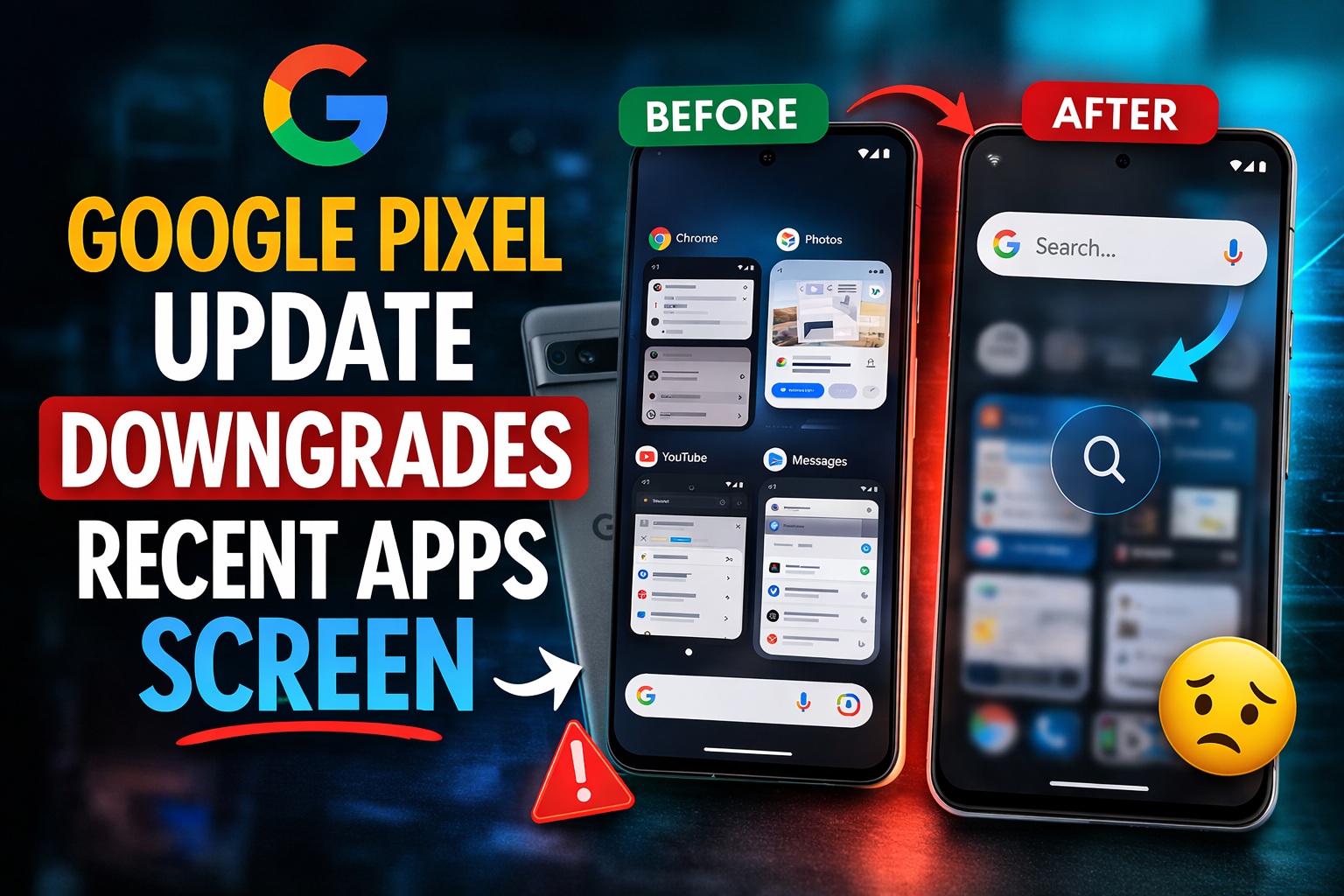
What Changed in the Pixel Recent Apps Screen?
In previous Pixel versions, the Recent Apps interface was tightly integrated with Pixel Launcher search tools. From this screen, users could quickly:
Copy text directly from apps
Search within apps
Quickly access system settings
Find contacts and installed apps
The new update replaces part of this experience with a search interface powered by the Google app, which prioritizes web and AI-powered search results instead of on-device search.
While Google is pushing AI features, many users feel this change reduces the practicality of the multitasking screen.
Why Many Pixel Users Are Frustrated
The new design has received criticism because it removes or weakens several useful features that Pixel users relied on daily.
1. Loss of Fast Device Search
Previously, the search tool could quickly find apps, contacts, and phone settings. Now the Google-powered interface focuses more on online search results.
2. Full-Screen Search Experience
Instead of a lightweight overlay search, the new version opens a full-screen Google search interface, making multitasking feel slower.
3. Reduced Pixel-Exclusive Features
Pixel phones traditionally included unique software tools inside the Recent Apps screen. With the change, some of those features are less accessible or missing entirely.
Why Google Made the Change
Google reportedly introduced the new system to promote AI-powered search and Gemini features directly from the Pixel home screen.
By connecting the search bar to the Google app, the company can:
Integrate AI tools more deeply
Show richer web search results
Expand AI assistant capabilities on Pixel devices
However, this shift prioritizes AI integration over speed and simplicity, which longtime Pixel users valued.
Pixel Updates Still Bring New Features
Despite the criticism, Pixel updates still introduce new capabilities. Recent Pixel Feature Drops have added tools such as:
Expanded Circle to Search capabilities
Gemini AI features inside apps
New personalization options and widgets
Improved safety and security tools
These updates aim to make Pixel devices smarter and more connected to Google’s AI ecosystem.
Final Thoughts
The Pixel update highlights a growing trend in Android: AI-first design. While this can unlock powerful features, it sometimes comes at the cost of simplicity and speed.
For Pixel fans who loved the previous multitasking tools, the latest update may feel like a step backward. Whether Google listens to user feedback and restores some features remains to be seen.