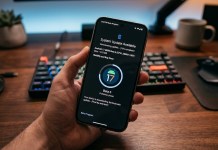
For thousands of Pixel owners, the March 2026 security update turned flagship smartphones into expensive paperweights. After weeks of silence and growing frustration across Reddit and Google Support forums, there is finally a light at the end of the tunnel. Reports suggest Google is rolling out a definitive fix for the Pixel boot loop nightmare.
The Root of the “Nightmare”: What Went Wrong?
The issue primarily affected users across the Pixel 6, 7, and 8 series. Shortly after installing the March update, devices began experiencing “Storage Access” failures, followed by spontaneous restarts that eventually devolved into a permanent boot loop or the dreaded “Android Recovery: Your data may be corrupt” screen.
While Google initially suggested a factory reset—a “solution” that meant losing all unbacked-up data—the tech community pushed for a non-destructive repair. It appears Google has listened.
Key Symptoms Reported:
Internal Storage Mounting Errors: Apps crashing because they cannot “read” the phone’s storage.
Infinite Google Logo: The device hangs on the white “G” screen during startup.
Rescue Mode: The phone automatically boots into the system recovery menu.
The Fix: How Google is Addressing the Loop
According to recent developer insights and leaked support documentation, Google is deploying a two-pronged approach to rescue affected devices:
1. The “Google Pixel Repair Tool” Update
Google has updated its web-based Pixel Repair Tool. Users can now connect their bricked device to a PC via USB-C to side-load a “rescue OTA” (Over-The-Air) update. Unlike a factory reset, this process is designed to repair the corrupted system partition without wiping user data.
2. A “Silent” Google Play System Update
For users who can still intermittently access their OS, Google is pushing a mandatory Google Play System Update. This patch targets the underlying media provider service, which was identified as the primary trigger for the storage-related crashes that preceded the boot loops.
How to Check if Your Pixel is Fixed
To ensure your device is protected from future loops, follow these steps immediately:
Navigate to Settings > Security & Privacy.
Tap on System & Updates.
Check both System Update and Google Play System Update.
If a version from late April 2026 is available, install it and restart your device immediately.
Pro Tip: If your device is currently stuck in a loop, do not attempt to force-restart it repeatedly, as this can lead to hardware overheating. Instead, boot into Fastboot Mode (Power + Volume Down) and wait for the web-based repair tool to recognize the devic
What’s Next for Pixel Stability?
This incident has sparked renewed debate regarding Google’s QA process for monthly security patches. With Android 17 on the horizon, many users are looking for more than just a fix—they are looking for a guarantee that the “Nightmare of March” won’t repeat itself in the next update cycle.
Has your Pixel returned to normal, or are you still stuck on the “G” logo? Let us know in the comments.
What specific Pixel model are you currently using, and did you experience the storage crash before the boot loop started?
Interested in reading more about Google Pixel smartphones. Read our full Google Pixel coverage by clicking here.
Please follow us on our Facebook page and X account for all latest and breaking Google, Android and Nokia related news