Android 17 = A Massive Shift for Pixel Users
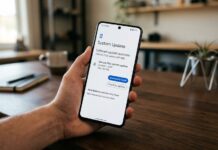
With the latest update to Android 17, Google is quietly transforming Pixel phones into something much bigger than just smartphones.
The newest beta introduces a desktop-style experience that feels closer to a laptop than ever before — and it’s already making waves.
Desktop Mode Is Finally Real
For years, Android teased a desktop-like interface — but now it’s actually usable.
With Android 17:
- Connect your Pixel to an external display
- Instantly get a desktop-style interface
- Open multiple apps side-by-side like a computer
This puts Pixel in direct competition with PC-like systems — especially on devices like the Google Pixel Fold.
Your phone can now double as a workstation.
Floating Windows = Real Multitasking
Android 17 finally adds proper floating app windows.
That means:
- Resize apps freely
- Drag and drop between windows
- Run multiple apps at once without splitting the screen
This is a huge upgrade over traditional split-screen — and feels much closer to Windows or macOS.
Smarter Widgets & Controls
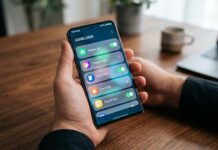
Widgets are also getting a serious upgrade:
- More interactive controls
- Better layout management
- Smoother resizing and placement
On larger screens, like tablets or foldables, this makes a big difference in everyday use.
Built for Foldables & Tablets
Devices like the Google Pixel Tablet and foldables benefit the most:
- Larger screen = better multitasking
- Desktop mode feels natural
- Productivity finally makes sense on Android
👉 This update is basically designed for the future of Android hardware.
Why This Is a Big Deal
Android has always been powerful — but not always productive.
With Android 17:
- Phones become multi-tasking machines
- Tablets become laptop alternatives
- Foldables finally reach their true potential
Google is clearly pushing toward a future where one device does everything.
Final Thoughts
Android 17 isn’t just another update — it’s a direction change.
If Google continues improving this desktop experience, Pixel devices could soon replace laptops for many users.
And this might be the moment Android finally catches up — or even surpasses — traditional computing.
Interested in reading more about Google Pixel smartphones. Read our full Google Pixel coverage by clicking here.
Android 17 isn’t just a minor update. it could change how your phone works. See all the hidden features, major leaks, and real upgrades by reading our full coverage here.
Please follow us on our Facebook page and X account for all latest and breaking Google, Android and Nokia related news.